Add the league to your calendar
The month view, and how to subscribe to the whole league, one team, one division or a single game in Apple, Google or Outlook calendars so changes follow on their own.
Updated
Every league site has a Calendar page with the season by month, and calendar feeds you can subscribe to so game times land in your own calendar and stay current when the league changes them.
The month view
Calendar in the site menu opens on the month of the next game. Each day shows its game day (press it for the passes page when passes are sold, or for the day's details) and the games with their times. Game days are tinted by session, with a legend above the grid, and playoff days are in the league colour. A game day being streamed shows a LIVE badge. Use the arrows to move a month, Today to come back, and List for the schedule page.
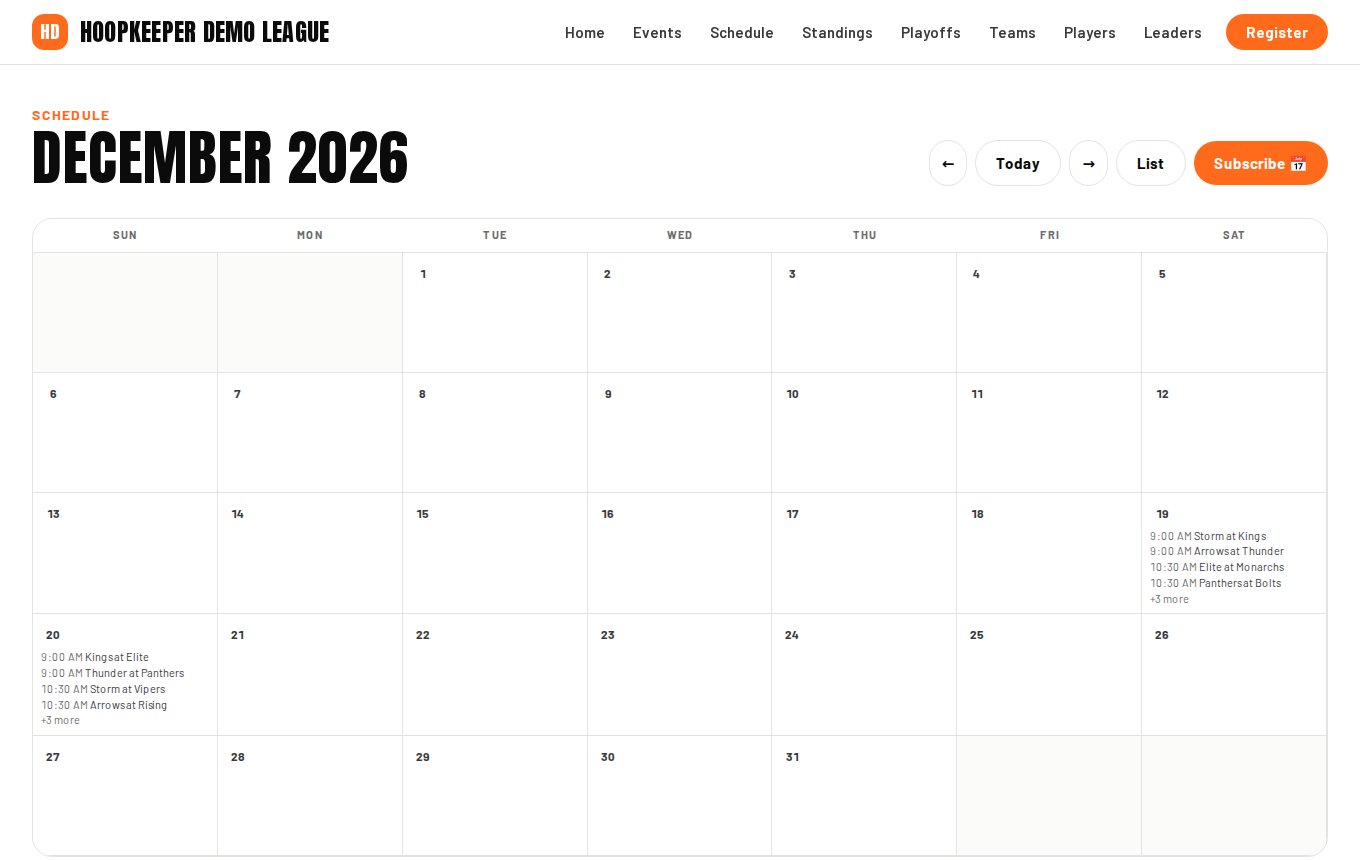
Subscribe
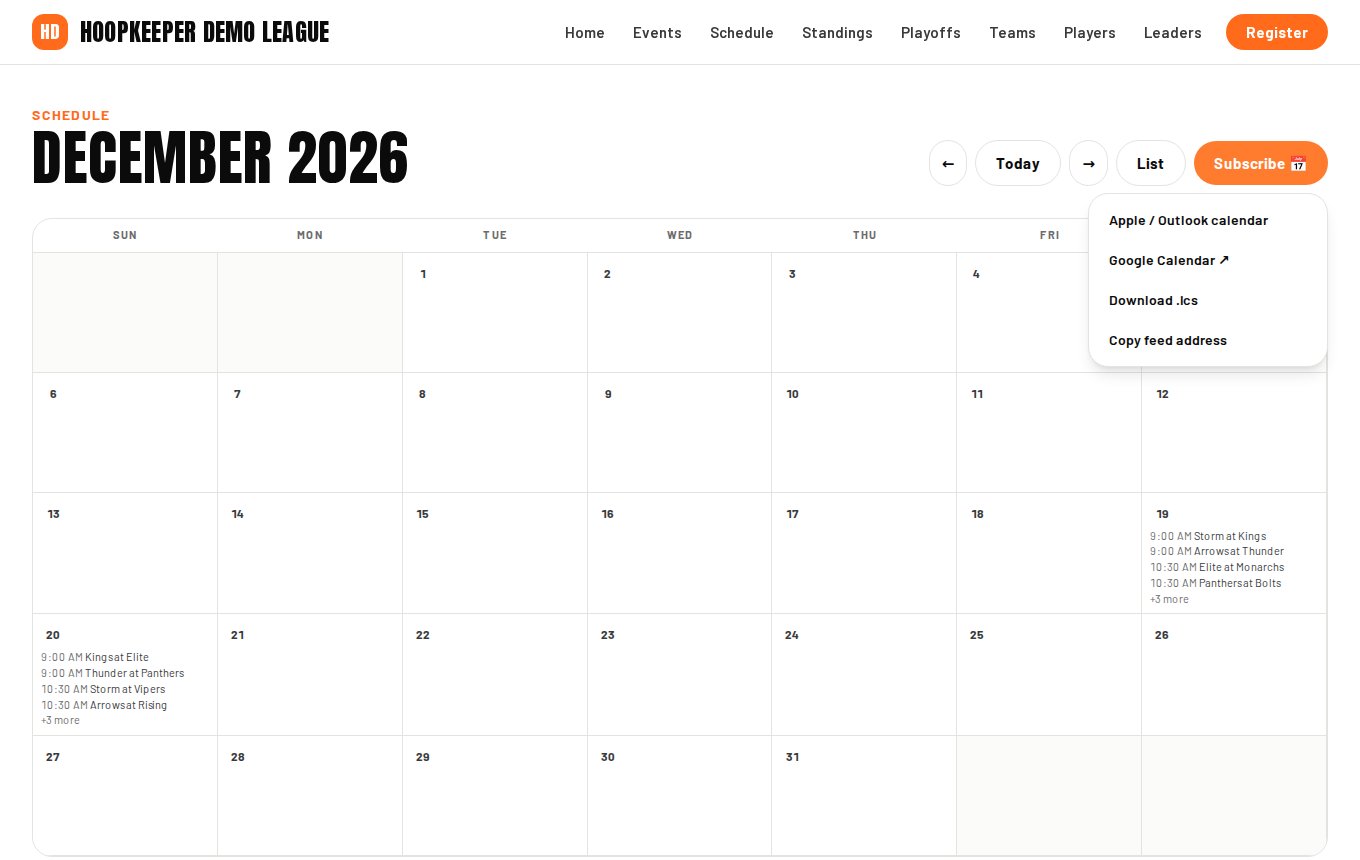
Subscribe on the Calendar page opens a small menu:
- Apple / Outlook calendar adds the feed to the Calendar app on a Mac, iPhone or iPad, or to Outlook.
- Google Calendar opens Google Calendar with the feed ready to add. It appears under *Other calendars*.
- Download .ics saves a one-time copy of every game.
- Copy feed address copies the feed's address for any other calendar app: paste it where the app asks for a calendar by URL.
Feeds for one team, one division or one game
- A team: Add schedule to calendar on the team's page is a feed of that team's games only, named after the team.
- A division: on the Schedule page, pick a division first; Subscribe then offers that division's games.
- One game: Add to calendar on a game page downloads that game as a single event.
The whole-league feed has every game and every game day; the team and division feeds have games only.
What is in each event
Each calendar event is the matchup (away team at home team), the time, the venue and court, and a link back to the game page where the score and box score appear afterwards. Events update when the league moves a game; nothing else needs doing.
Questions
What is the difference between Subscribe and Download?
A subscription is a live feed: when the league changes a time or adds a game, your calendar updates on its own. A downloaded .ics file is a one-time copy that does not change afterwards.
How quickly do changes show up?
The feed refreshes within about fifteen minutes of a change on the site. How often your calendar app checks the feed is up to the app; Google Calendar can take several hours.
Can I get just my child's team?
Yes. Add schedule to calendar on the team's page is a feed of that team's games only.
What time zone are the times in?
The league's local time, with the time zone included in the feed so your calendar shows them correctly wherever you are.
Try it on a sample league
A seven-day test drive comes with a season already loaded, so you can follow this guide click for click.
Start a free test drive