Register your team
Find the event, fill in the team and coach details, choose pay in full or a deposit, agree to the rules and pay by card. What happens on the waitlist and after you pay.
Updated
A league on HoopKeeper takes team registrations on its own site: no account, no paper form. You fill in the team and the head coach, pick how to pay, agree to the league's rules and pay by card through Stripe. This guide walks through the form and what arrives afterwards.
Find the event
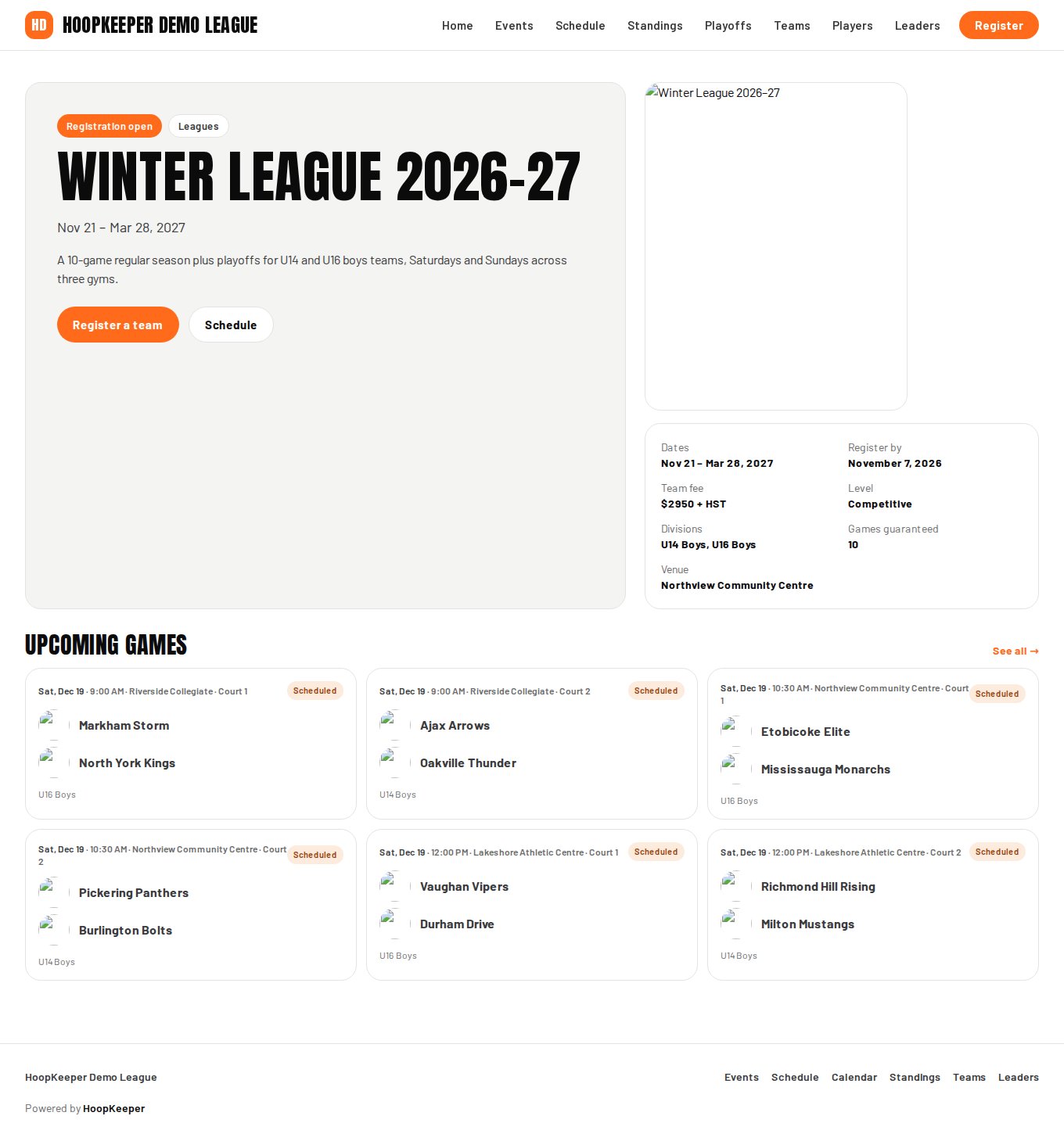
- Open the league's site and go to Events. Each season, tournament or camp has its own page with the dates, the fee, the divisions and the registration deadline.
- While registration is open, the event page shows a Register a team button. If the button is missing, registration has not opened yet or has closed; the deadline is listed under *Register by*.
Fill in the form
- Team name is how your team appears on the site: on the schedule, in the standings and on its own team page.
- Division, when the event has more than one. A division marked *full · waitlist* has reached its team cap; see the waitlist section below.
- Club or organization is optional.
- Head coach: name, phone and email. The email address matters most: your receipt, the confirmation and the link to pay the balance all go there.
- Assistant coach is optional.
- Credit code: if your team withdrew from an earlier season and was given a credit, enter the code from that email here. It must be used with the same email address, and it comes off today's charge.
Choose how to pay
The payment box on the right shows the options the league offers:
- Pay in full charges the whole team fee today.
- Deposit (when the league allows it) charges part of the fee today, usually half, and the rest later. The box shows how much is due today, how much is left and the date the balance is due.
The summary under the options lists the fee, the tax when the league charges it, and a processing fee when the league passes card costs on. Prices are in Canadian dollars.
Some leagues review every team before confirming it. If so, a line under the summary says so, and your first email is a *registration received* rather than a confirmation.
Agree and pay
- Tick the box to confirm your team and players agree to the league's rules, code of conduct and waiver. When the league has published its rules, the words are a link that opens them in a new tab.
- The same line states the refund terms: the deposit is non-refundable, and a team that withdraws 14 or more days before the event receives anything paid beyond the deposit as a credit toward a future season.
- Press Continue to payment. You go to Stripe's checkout page to enter the card. HoopKeeper never sees the card number.
- Stripe brings you back to a confirmation page on the league site.
After you pay
The confirmation page shows your team, the event, a reference such as REG-7K2PQ4, the registration total, what you have paid and the balance owing. Keep the reference: it opens your payment page any time at /pay/ followed by the reference. The page updates within a minute if it still shows the payment as pending.
The emails that follow, all to the head coach's address:
| When | |
|---|---|
| You're in! | Paid in full, or the balance paid later |
| Deposit received | A deposit was paid; includes the Pay the balance link and the due date |
| Registration received | The league reviews teams before confirming them |
| Your team is approved | The league confirmed a reviewed or waitlisted team; has the payment link if anything is owing |
| Balance reminder | Sent as the balance due date approaches |
Your card receipt comes separately from Stripe. The team appears on the league site once it is approved and paid.
The waitlist
When the division or the whole event is full, the payment box becomes a Waitlist box and the button reads Join the waitlist. Nothing is charged. You get a *You're on the waitlist* email with your reference, and if a spot opens the league approves your team and emails a link to pay. Reply to any of the league's emails to reach the league directly.
Questions
Do I need an account to register?
No. Registration is a public form. Your email address and the reference code on the confirmation page are all you need to come back and pay the balance.
Is the deposit refundable?
No. The deposit is non-refundable. A team that withdraws 14 or more days before the event gets anything it paid beyond the deposit back as a credit toward a future season, as a code you enter the next time you register.
The division I want says full. What happens?
You can still submit the form and your team joins the waitlist. Nothing is charged. If a spot opens, the league approves your team and emails you a link to pay.
What if I cancel on the Stripe page?
You come back to the form with a note that nothing was charged. Your details are still filled in, so you can try again or change the payment option.
Try it on a sample league
A seven-day test drive comes with a season already loaded, so you can follow this guide click for click.
Start a free test drive