Export and back up your data
Download a full backup of the league as one file, or spreadsheets of teams, players, games and standings for Excel or Google Sheets.
Updated · In the admin: Export data
Your league's data is yours. Manage › Export data gives you all of it in two forms: one file with everything, and spreadsheets per table.
Full backup
Press Download under Full backup for a single JSON file with events, divisions, venues, teams with their registrations, players, game days, games with box scores and playoff brackets. It is the same format HoopKeeper's importer reads, so it is both an archive and a way to move a league.
Take one at the end of every season and keep it with the league's records.
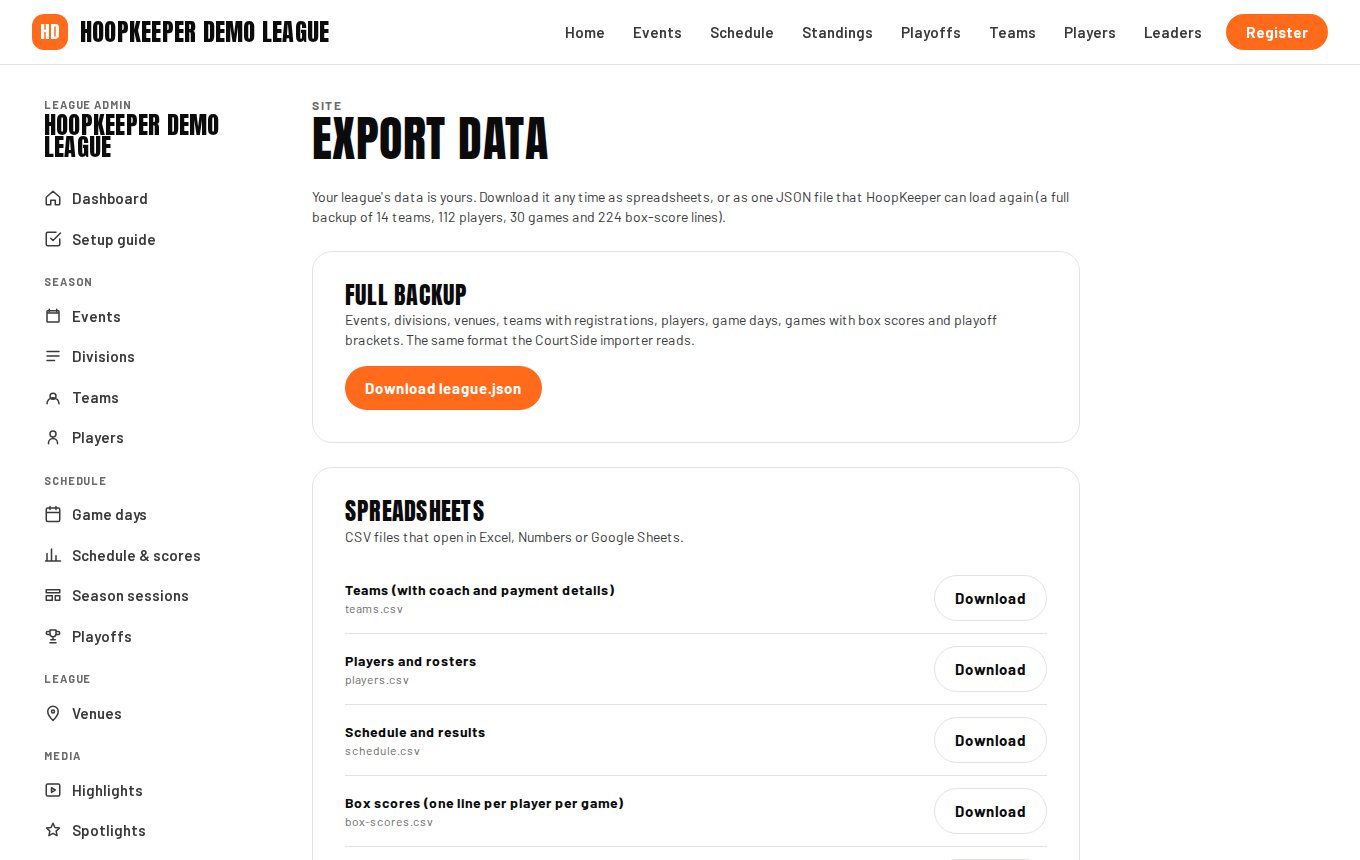
Spreadsheets
Under Spreadsheets, each button downloads a CSV file that opens in Excel, Numbers or Google Sheets. The teams file includes the coach's name, email and phone and what each team has paid, which is what a treasurer or a registrar usually wants. Other files cover players, the schedule with scores, box scores and the standings.
Who can export
Owners and admins. A coach or scorekeeper does not see the Export screen, and the public site never exposes coach contact details.
Questions
Is my data backed up anyway?
Yes. HoopKeeper's database is backed up continuously. The export is for your own copy: a season archive, a spreadsheet for the treasurer, or moving the league somewhere else.
Can I import the file back?
The full backup is the same format HoopKeeper's importer reads, so a league can be restored or moved from it. Ask HoopKeeper support to run an import.
Try it on a sample league
A seven-day test drive comes with a season already loaded, so you can follow this guide click for click.
Start a free test drive