Venues
Add the gyms and courts your league plays at, with addresses, map links, parking and spectator notes, so game days and the schedule show directions.
Updated · In the admin: Venues
A venue is a gym, a community centre or an outdoor court. Game days and games point at a venue, and the public schedule shows the venue's name, address and directions on every game day.
Add a venue
- Go to Manage › Venues and press + New venue.
- Enter the Name as players know it, for example "Northview Community Centre".
- Enter the Address and City. The schedule prints them under the game day.
- Enter the number of Courts. The schedule builders use it to run games side by side.
- Paste a Map link from Google Maps or Apple Maps for a Directions button.
- Upload a Photo of the gym. It heads the venue card on the schedule.
- Add Parking and Spectator notes: where to park, which door to use, whether there is a fee at the door. Both show on the game day.
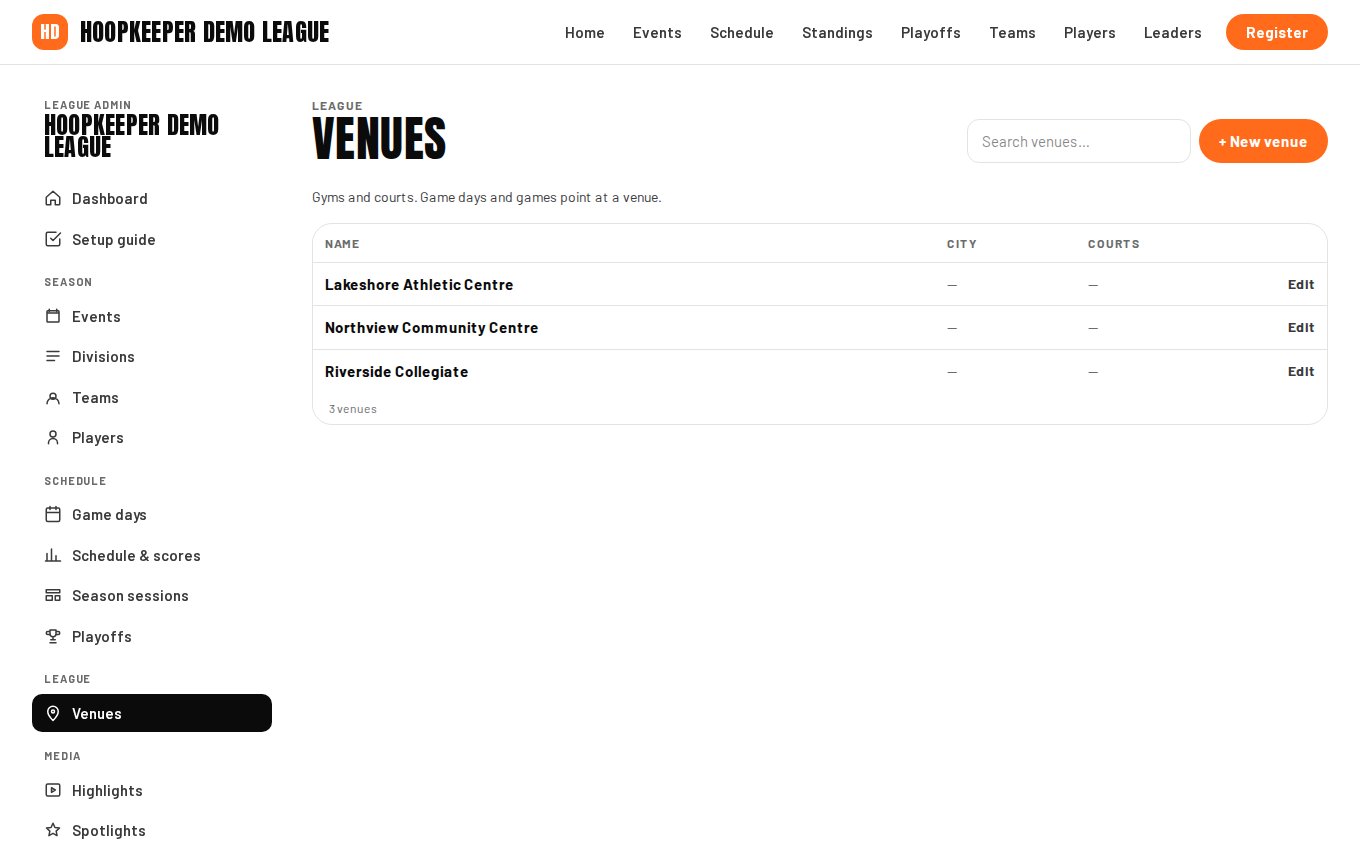
Where venues show up
- Game days have a venue, and the schedule groups games under it.
- Games can override the venue when one game day is split across two gyms.
- Season sessions copy their venue to every game day they create.
- Playoff brackets take an optional venue for every round.
Changing a venue mid-season
Edit the venue and every game day pointing at it updates. If one game day moves to another gym, edit that game day's venue instead; the rest of the season stays where it was.
Questions
What is Courts used for?
The number of courts at the venue. The round-robin builder and the playoff builder use it to decide how many games can tip off in the same slot.
Do I need a map link?
Paste the Google Maps or Apple Maps link for the venue and the public pages show a Directions button. Without it, visitors see the address as text.
Try it on a sample league
A seven-day test drive comes with a season already loaded, so you can follow this guide click for click.
Start a free test drive