Build the schedule
Create game days, fill them with the round-robin builder or one game at a time, publish the schedule, and handle postponements and cancellations.
Updated · In the admin: Schedule & scores, Game days
The schedule is built from two records: game days (a date at a venue) and games (one matchup inside a game day). Create the game days first, then fill them with games, either with the round-robin builder or by hand.
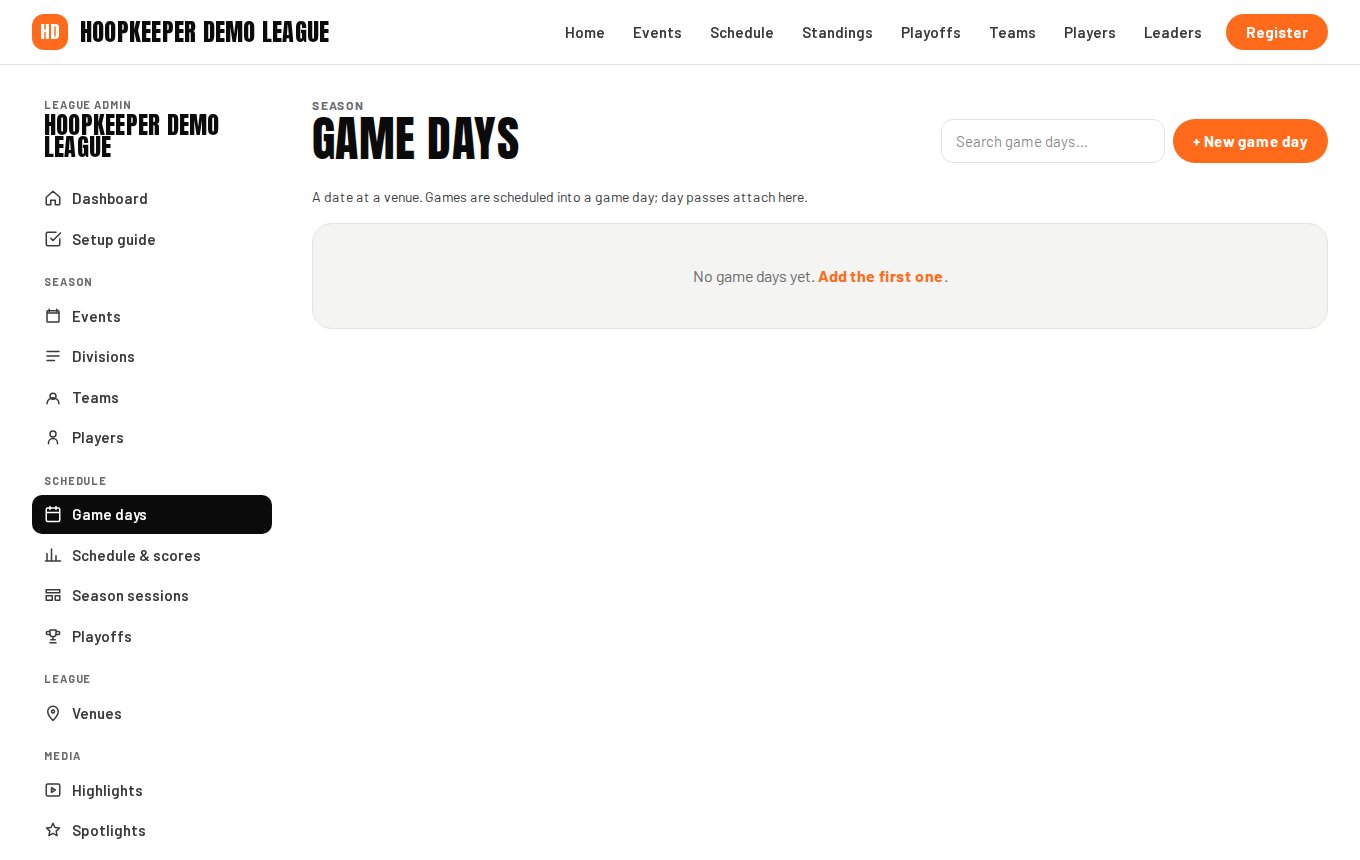
Game days
- Go to Manage › Game days and press + New game day.
- Give it a Title such as "Week 3 · Sunday", pick the Event and the Venue, and set the Date.
- Enter Doors / first tip and Ends. The first tip time is the default start for the schedule builder.
- Session is a label for a morning or afternoon block; Status is scheduled, live, completed or cancelled.
- Spectator capacity, Day pass · adult and Day pass · student matter only when day passes are on. Prices are per game day; empty means the league default of $15.
- Add a Live stream link and the public game day shows a Watch button; upload a Printable schedule (PDF) for a download link.
- Tick Shown on the public site when the day is confirmed.
An event with season sessions can create a draft game day for every date in a session at once (see the events guide).
Fill the schedule with the round-robin builder
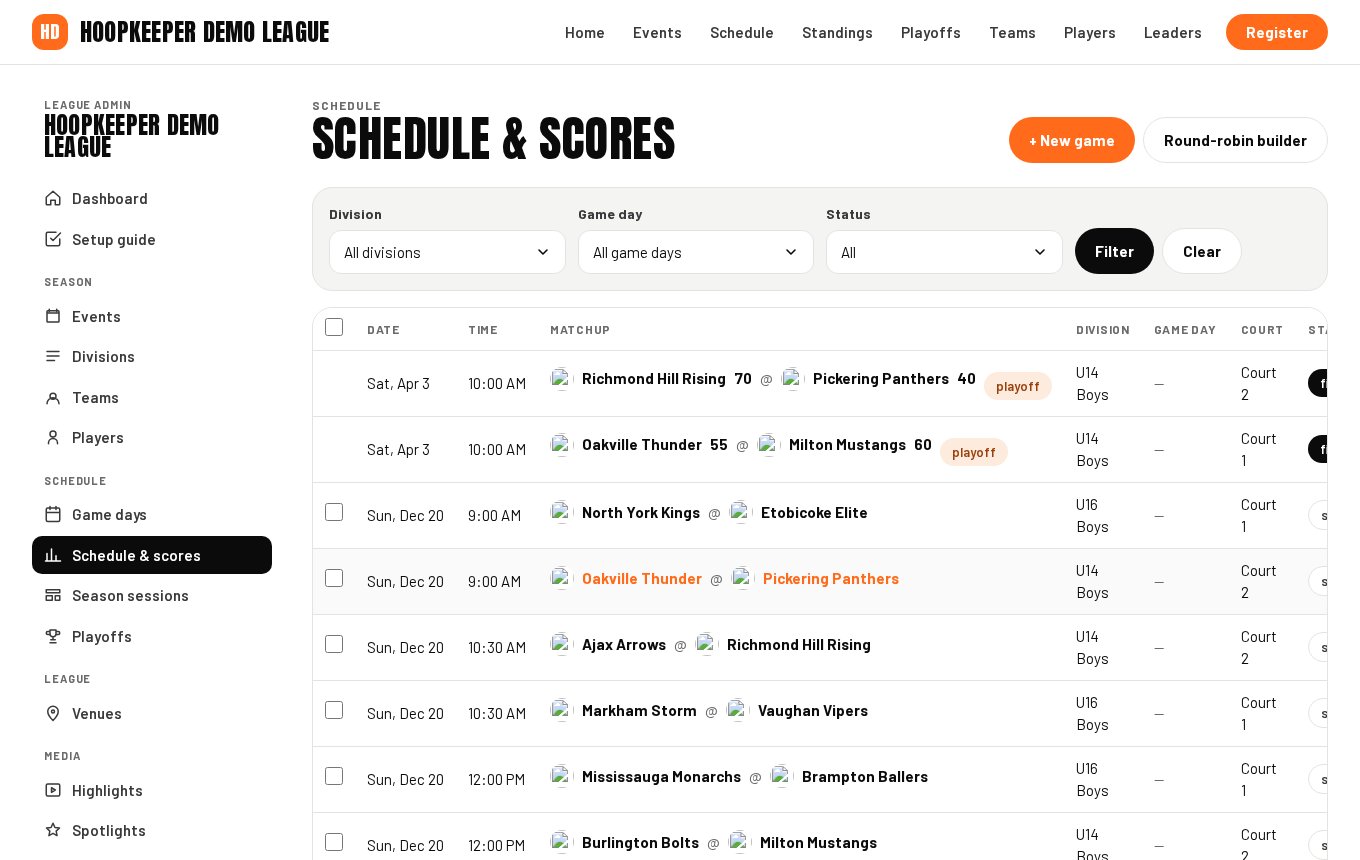
Manage › Schedule & scores lists every game with filters for division, game day and status, and holds the Round-robin builder.
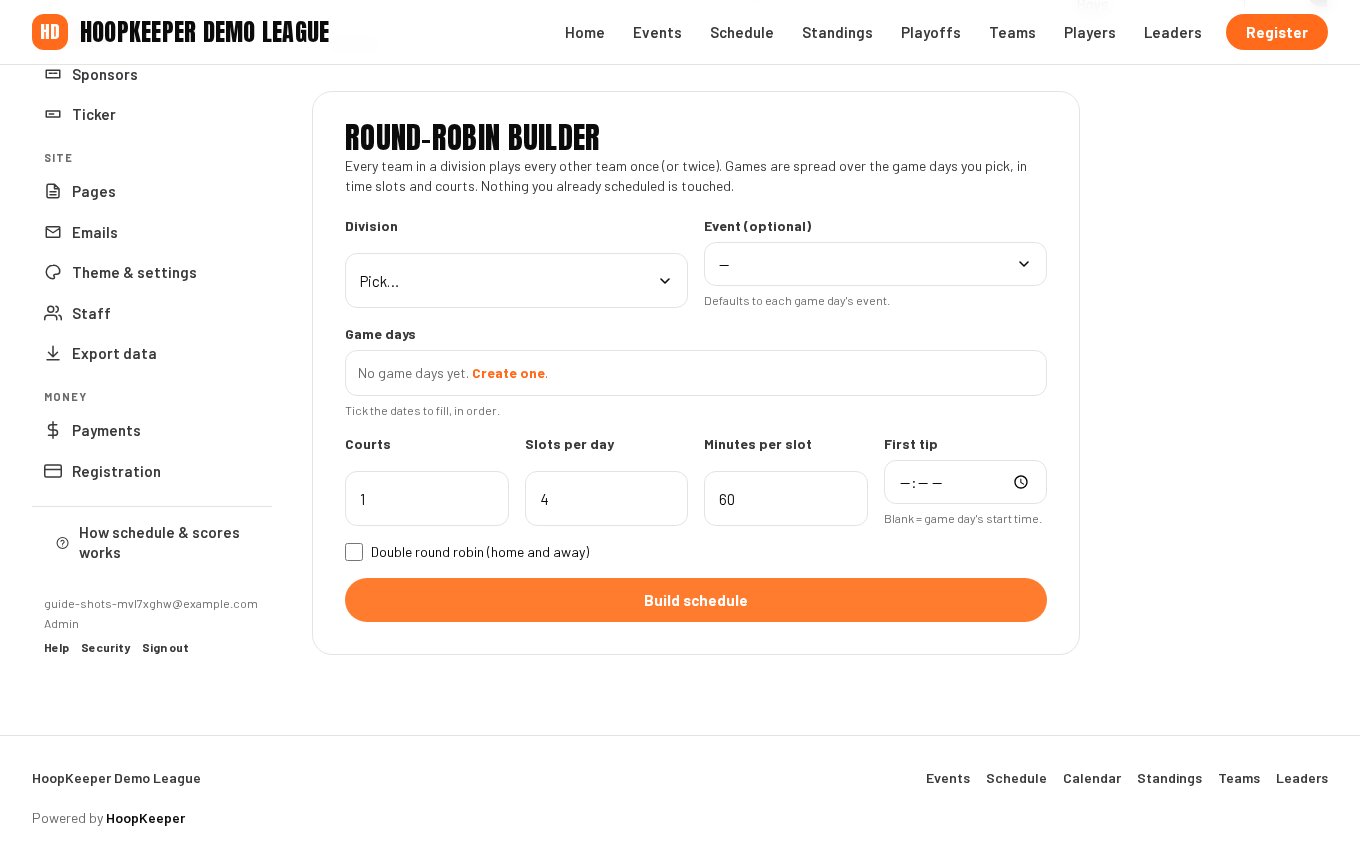
- Pick the Division. Every published team in it is paired against every other team once.
- Pick the Event if the game days belong to more than one; it defaults to each game day's event.
- Tick the Game days to fill, in order. Games are spread across them.
- Enter the Courts available, Slots per day and Minutes per slot, for example 2 courts, 4 slots, 60 minutes. The builder tips games off side by side on each court and moves down the slots.
- Set First tip when it differs from the game day's start time, and tick Double round robin (home and away) for a second meeting between every pair.
- Press build. The games appear on the list below with dates, times and courts, published and ready to score. Games you already scheduled are left alone.
If the dates you ticked cannot hold every game, the builder says how many slots it needs; add a game day, a slot or a court and run it again.
Add or edit one game
Press + New game on Schedule & scores, or open any game from the list.
- Home team and Away team are required; Division, Event, Game day and Venue fill from the game day when set.
- Date, Tip-off and Court place the game.
- Status: scheduled, live, final, postponed or cancelled. Only final games count in standings.
- Playoff game keeps the game out of standings. Brackets set this for you.
- Stream link shows a Watch button on the game page.
- Shown on the public site publishes the game.
The Score sheet button on a game opens the scoring screen (see the scorekeeper guide).
Holding a schedule back
New game days and games are shown on the public site as soon as they are saved, and the builder publishes the games it creates. To keep a game off the public schedule, untick Shown on the public site on that game; to keep the whole season out of sight while you build it, leave Site is live unticked under Theme & settings until it is ready. Game days created from season sessions start as drafts and are published in one go from that screen.
Postponements, cancellations and scores owed
- A rained-out or cancelled game: set its Status to postponed or cancelled. It stays on the schedule with that label and out of the standings.
- To replay it, edit the date, game day and tip-off and set the status back to scheduled.
- The dashboard's Scores owed tile and the Scores owed filter on Schedule & scores list past games that still have no final score, so nothing slips through after a busy game day.
Questions
Does the round-robin builder balance home and away?
It alternates home and away as it pairs teams and spreads each team's games across the dates you tick, so no team plays twice in one slot. Check the result on the Schedule & scores screen and move any game by editing it.
Can I import a schedule from a spreadsheet?
Not yet. The builder covers a round robin in a few seconds; for an unusual format, add games one at a time with + New game, or ask HoopKeeper support about importing a CSV.
What happens to a postponed game?
Set its status to postponed and it stays on the schedule marked as such, out of the standings. Give it a new date and game day and set it back to scheduled when it is replayed.
Try it on a sample league
A seven-day test drive comes with a season already loaded, so you can follow this guide click for click.
Start a free test drive