Run the playoffs
Seed a single-elimination bracket from the standings, give byes to the top seeds, schedule each round, and let winners advance as scores go final.
Updated · In the admin: Playoffs
Playoffs in HoopKeeper are single-elimination brackets seeded from a division's standings. You build one bracket per division, score its games on the usual score sheet, and the winners move on by themselves.
Before you build
Seeds come from the division's current standings, so build the bracket after the last regular-season score is in. Check the standings page for ties and fix any missing finals first; a bracket is quick to remove and rebuild, but it is quicker to get it right once.
Build a bracket
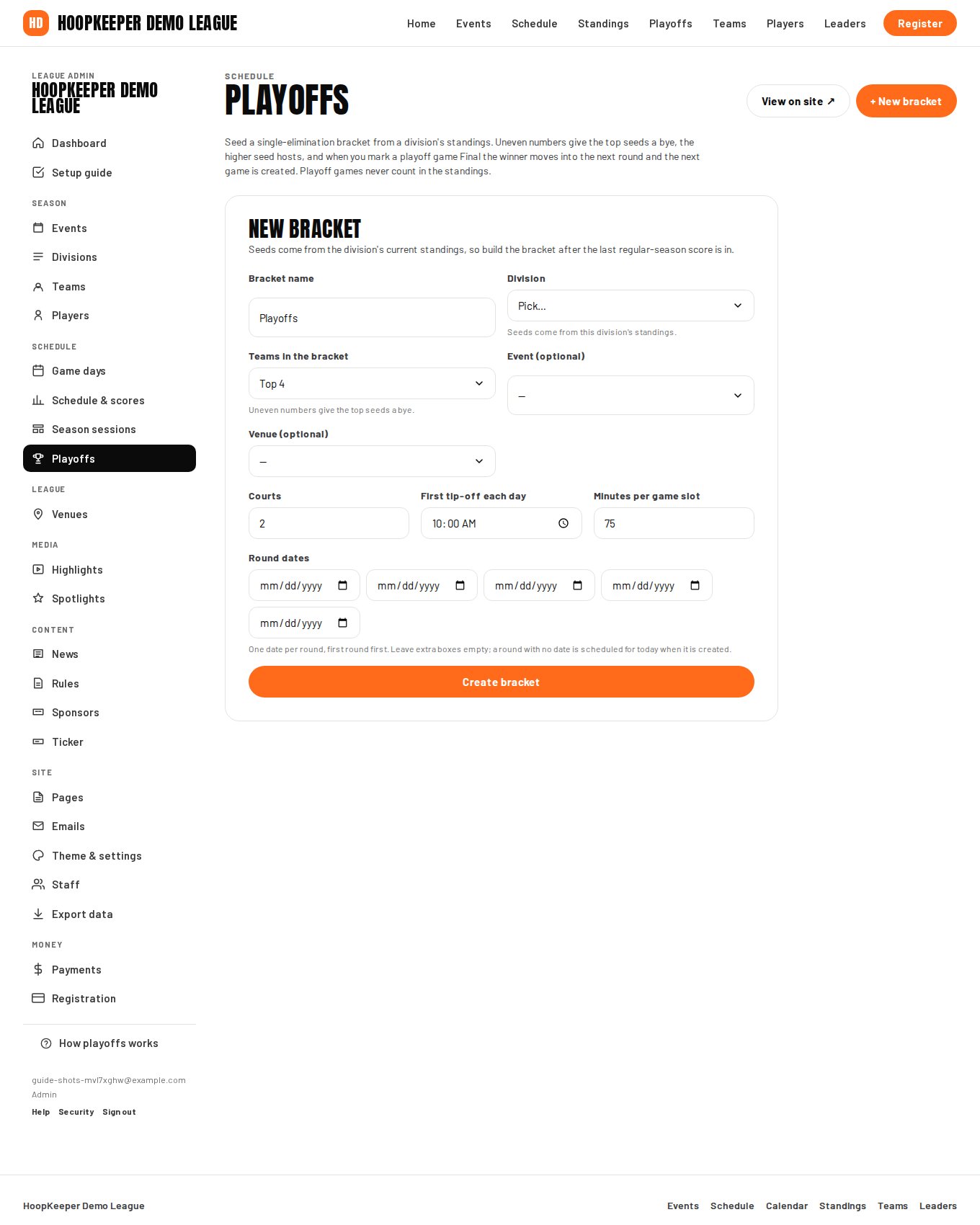
- Go to Manage › Playoffs and fill in New bracket.
- Bracket name: "Men's Open playoffs" or just "Playoffs".
- Division: the standings this bracket is seeded from.
- Teams in the bracket: how many make the playoffs. Uneven numbers give the top seeds a bye.
- Event and Venue are optional; the venue applies to every playoff game.
- Courts, First tip-off each day and Minutes per game slot lay the games out on each round's date, side by side across the courts.
- Round dates: one date per round, first round first. Leave extra boxes empty. A round with no date is scheduled for today when it is created.
- Press create. Round-one games go on the schedule as published playoff games; later rounds are created as their matchups become known.
During the playoffs
- Score each playoff game on its score sheet and save it as final. The winner is placed in the next round automatically and the new game appears on the schedule with that round's date.
- The public Playoffs page shows the bracket with seeds, scores and the champion once the final is played.
- If you edit a playoff score after the fact, press Update from scores on the bracket to re-run the advance step.
Removing a bracket
Remove bracket deletes the bracket and its unplayed playoff games. Finished games stay on the schedule as results, so a bracket removed after round one keeps those scores.
Consolation and third-place games
A bracket is one elimination tree. For a third-place game or a consolation round, add the games by hand from Schedule & scores with Playoff game ticked, so they stay out of the standings.
Questions
Can I change a matchup after the bracket is built?
Round-one games are ordinary games on the schedule, so you can edit their date, time and court. To change the seeding itself, remove the bracket and build it again after fixing the standings.
Do playoff games affect standings or leaders?
Playoff games are marked as playoff games and never count in standings. Leaders exclude them too unless Include playoff games in leaders is ticked under Theme & settings.
What if the number of teams is not a power of two?
The top seeds get a bye in round one. Six teams, for example, gives the top two seeds a bye and plays 3 v 6 and 4 v 5.
Try it on a sample league
A seven-day test drive comes with a season already loaded, so you can follow this guide click for click.
Start a free test drive