League emails
What HoopKeeper emails coaches and staff on your behalf, the sender and reply-to settings, previews, reminders and the sent log.
Updated · In the admin: Emails
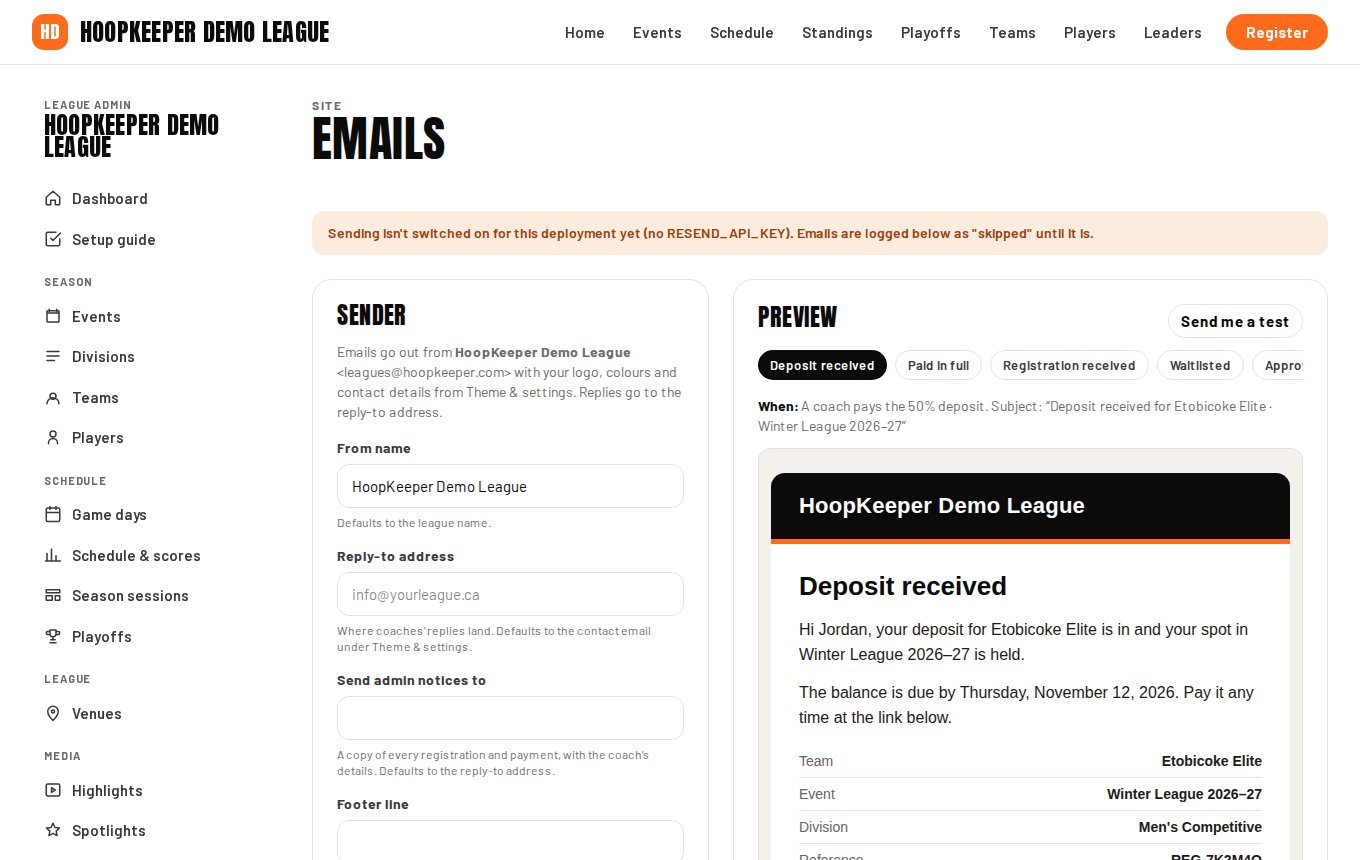
HoopKeeper sends every registration, payment, pass and staff email for you, in your league's name and colours. Manage › Emails sets who they come from, where replies go, and when balance reminders start, and it keeps a log of what was sent.
Sender settings
- From name: what the coach sees as the sender. Defaults to the league name.
- Reply-to address: where a coach's reply lands. Defaults to the contact email under Theme & settings. Use an address a person reads.
- Send admin notices to: a copy of every registration and payment, with the coach's details, goes here. Defaults to the reply-to address.
- Footer line: one optional line under the email card, for a mailing address or a charity number.
- Balance reminders start (days before due): reminders go daily from this many days before the balance is due, at most once a week per team. 0 switches them off.
- Approve paid teams automatically: on, a paid team is approved at once; off, every team waits under To review (see the registration guide).
The emails HoopKeeper sends
| When | |
|---|---|
| Registration received | A team registers while you review teams by hand |
| Deposit received | A coach pays the deposit |
| Paid in full | A coach pays in full, or pays the balance |
| Waitlisted | A team registers into a full division, or you move a team to the waitlist |
| Approved | You approve a team; includes the payment link when money is owing |
| Declined | You decline a team, with your note |
| Balance reminder | Daily from the reminder window, at most once a week per team |
| Withdrawn | You withdraw a team; includes the credit code when one applies |
| Game-day passes | Someone buys or claims spectator passes |
| Staff added | You add someone under Staff |
| Admin notice (to you) | A team registers or pays |
Preview
The Preview section renders every email with sample data in your league's branding, so you can see what a coach will get before the season opens. Change the from name or footer, save, and the preview updates.
Sent
Sent lists the last 40 emails sent on the league's behalf with the recipient, the subject and the time. An email marked skipped was not sent because sending is not switched on for that deployment yet; on a live league every row is a real send.
Sign-in emails
Sign-in codes and links for staff come from HoopKeeper itself rather than from your league, so they are not in this log.
Questions
Can I edit the wording of the emails?
The text is HoopKeeper's and carries your league name, logo and colours. You can set the from name, the reply-to address, a footer line, and the note that goes into a declined email. Ask HoopKeeper support if a league needs different wording.
Why did an email go to the wrong address?
Registration emails go to the coach's email on the registration; admin notices go to the Send admin notices to address, which defaults to the reply-to address and then to the contact email under Theme & settings. Check all three.
Try it on a sample league
A seven-day test drive comes with a season already loaded, so you can follow this guide click for click.
Start a free test drive