Online registration and approvals
How teams register and pay online, reviewing and approving them, waitlists, recording offline payments, balance reminders, and withdrawing a team.
Updated · In the admin: Registration
Once an event has a Team fee and Stripe is connected, teams register on your site and pay by card. Manage › Registration is where you review them, record money that arrives outside Stripe, and withdraw teams.
How a registration works
- A coach opens the event page and presses Register.
- They enter the team name, their name, email and phone, pick a division, agree to the league rules, and choose Pay in full or Pay the deposit when the event has one.
- They pay by card. The team is created with the coach's details on its Registration panel, and both the coach and your admin address get an email.
- If the division or the event is full (its team cap), the team goes on the waitlist instead and nothing is charged.
Approve automatically or by hand
Under Manage › Emails the switch Approve paid teams automatically decides what happens after payment:
- On: a paid team is approved at once and appears on the public site as soon as you publish it.
- Off: every team waits under To review until you decide. Use this when you vet teams, balance divisions, or want to look at a roster first.
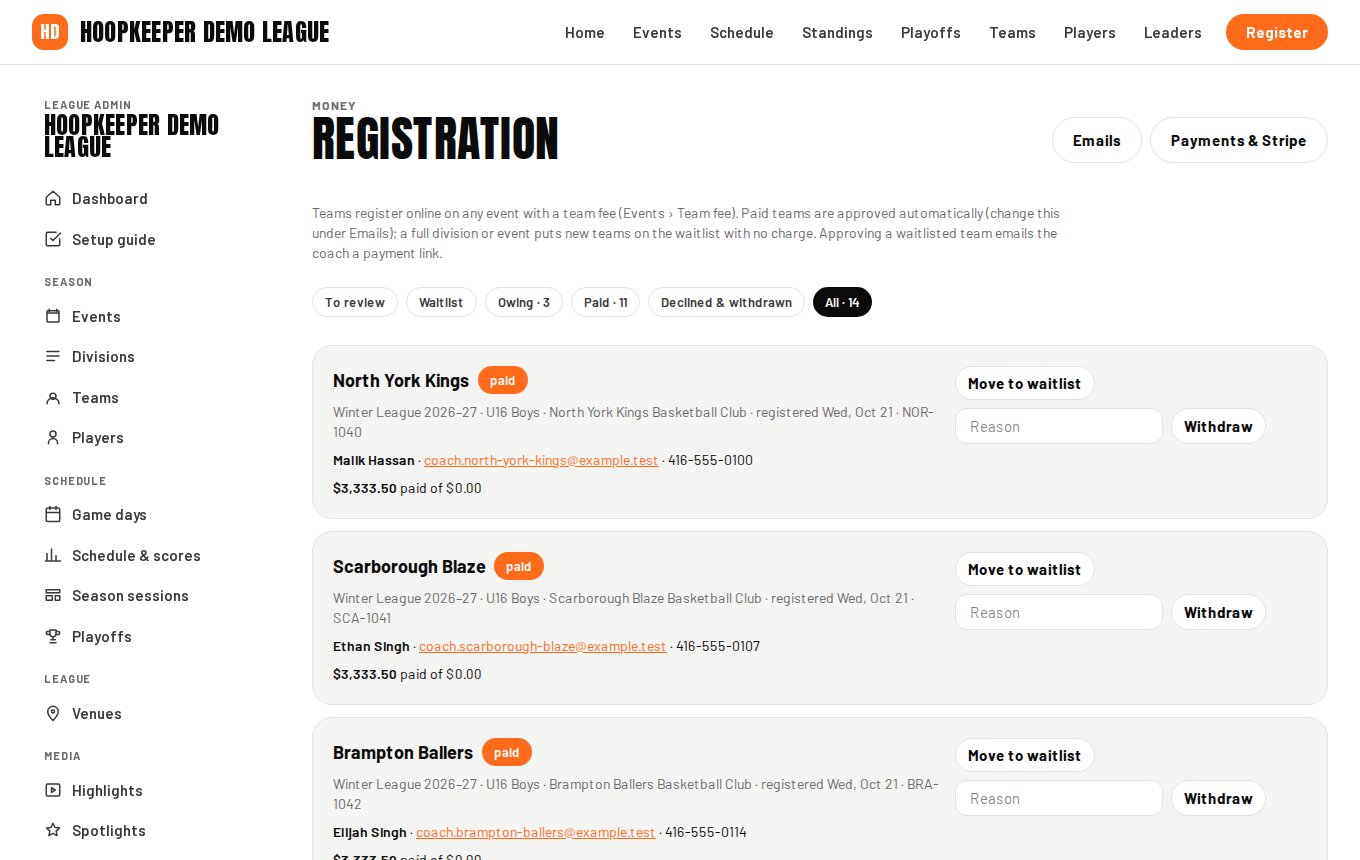
The filters
| Filter | What is in it |
|---|---|
| To review | Teams waiting for your decision |
| Waitlist | Teams that registered into a full division or event, or that you moved there |
| Owing | Approved teams with a balance left to pay |
| Paid | Settled teams |
| Declined & withdrawn | Closed registrations |
| All | Everything |
Decide on a team
Each team on the list shows the coach's details, the event and division, the plan (deposit or full) and what has been paid. Under To review and Waitlist:
- Approve confirms the team and emails the coach. When money is still owing, the email carries a payment link.
- Waitlist moves the team to the waitlist and emails the coach.
- Decline closes the registration and emails the coach. The note you type goes in the email, for example "Our Competitive division is full; we'd love to see you in Rec."
Record a payment that came in another way
Cash, cheque or e-transfer still happens. On the team, press Record a payment, enter the amount, pick Cash, E-transfer, Cheque or Other, and add a note. The balance updates, the team moves between Owing and Paid as it should, and the coach gets the same receipt email a card payment would send.
Balances and reminders
A team on a deposit plan owes the balance by the event's Balance due date. Send pay link emails the coach a link to pay it by card. Reminders go out automatically from the number of days before the due date set under Emails, at most once a week per team; set it to 0 to switch them off.
Resend an email
Resend on a team sends the registration email again: received, deposit received, paid in full, approved, waitlisted, declined or the balance reminder. Useful when a coach says they never got it.
Withdraw a team
Withdraw closes the registration, emails the coach and tells you whether a credit was issued. The rule: the deposit is kept; anything paid beyond it becomes a credit code if the withdrawal is 14 or more days before the event starts. Fewer than 14 days, or deposit only, means no credit. A credit code is applied at checkout on a later registration from the same email.
The team record stays, marked withdrawn, so its games and stats are kept. Delete the team under Teams only if it never played.
Registration status on the team
Each team's Registration status (submitted, awaiting payment, approved, waitlisted, declined, withdrawn, paid) is set by these actions and by payments. It can be edited by hand on the team's form, which is how you mark a team you added yourself.
Questions
How does a coach register?
On your public site, every event with a team fee shows a Register button. The coach enters the team name, their contact details and the division, agrees to the rules, and pays the deposit or the full fee by card. The team record is created for you with the coach attached.
What does a waitlisted coach see?
They get a Waitlisted email and are not charged. When you approve them from the waitlist, they get an Approved email with a payment link, and the team moves to Owing until they pay.
What happens when a team withdraws?
Withdraw closes the registration and emails the coach. The deposit is kept. Anything paid beyond the deposit becomes a credit code when the withdrawal is 14 or more days before the event starts; the code can be used on a later registration with the same email.
Try it on a sample league
A seven-day test drive comes with a season already loaded, so you can follow this guide click for click.
Start a free test drive